
A BuzzWorks Plugin

BuzzCode

Create scan-ready QR moments inside every email

Generate branded QR codes for event check-ins, offers, app downloads, product packaging, and in-store experiences without leaving the editor.

v1.0.0
BuzzCode logo

BuzzCode

Turn anything into scannable buzz with a QR Code generator. Track those scans!

BuzzCode screencast

Problem solved

What problem it solves

Marketing teams often need QR codes fast, but creating them in outside tools slows production and breaks review workflows. BuzzCode keeps the QR creation step inside your Beefree build so campaigns launch faster and the final block stays consistent.
Credits

How credits work

BuzzCode uses 1 credit when the QR image is viewed and 1 credit for each recipient interaction that results in a scan, making usage easy to forecast for high-volume sends.

Example Usage and Configuration

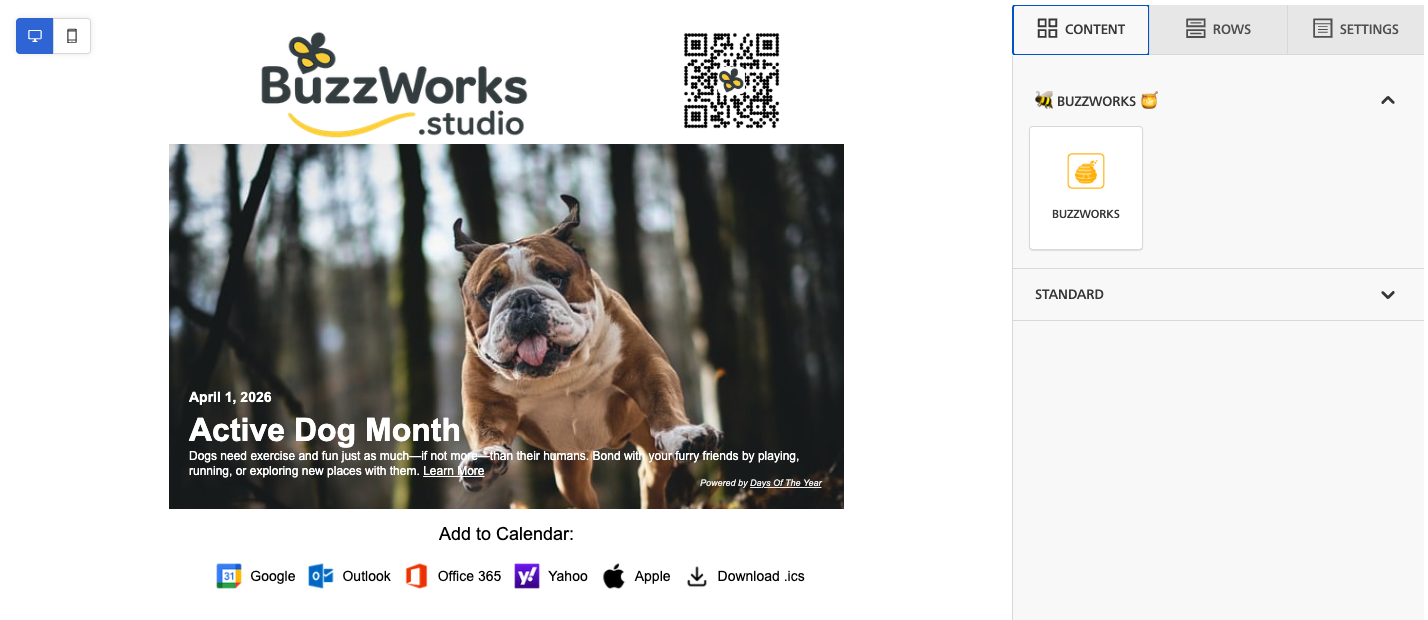
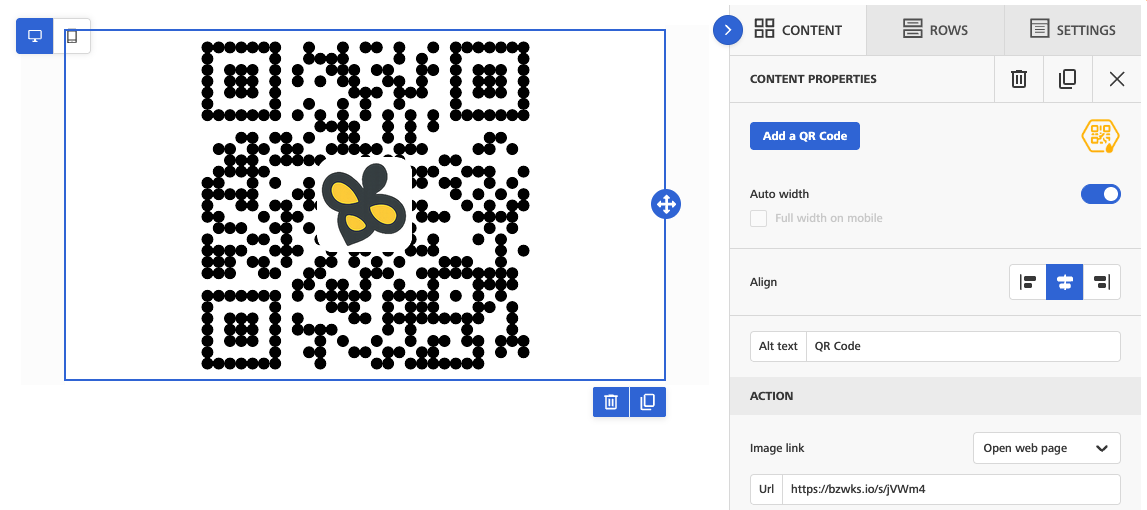
QR block in the editor

BuzzCode workspace

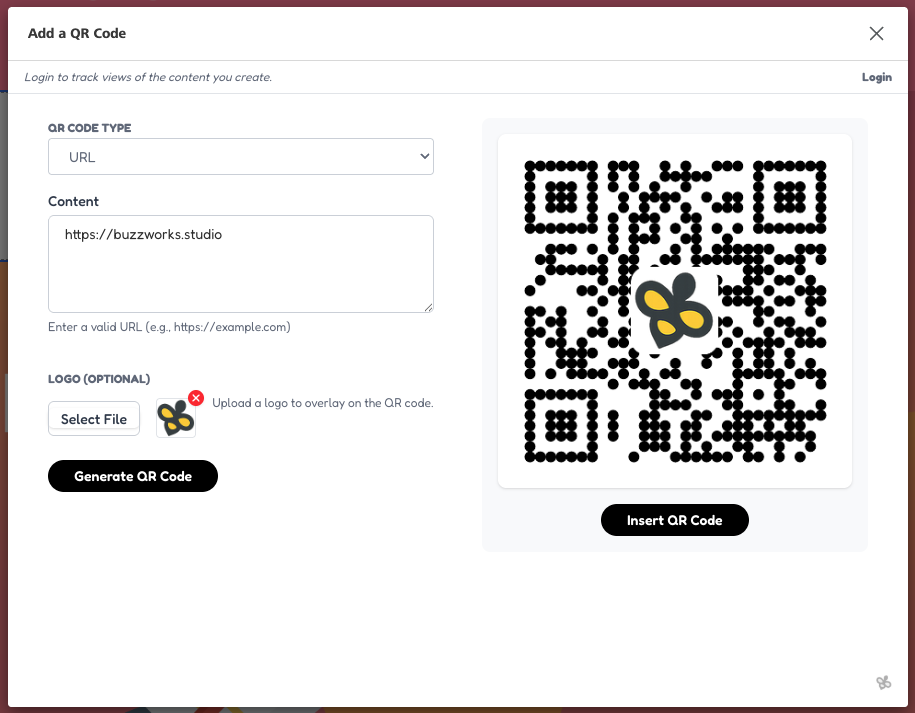
Simple QR code configuration

BuzzCode editor

Live email section with QR code

BuzzCode email

Who's it For

BuzzCode is built for

BuzzCode is for marketers who need a campaign to jump from email into a mobile or real-world action. It fits event check-ins, sales materials, appointment follow-ups, in-store offers, WiFi handoffs, vCard sharing, and any email where a scannable code is easier than asking someone to type a link.

How it works

From editor to email block

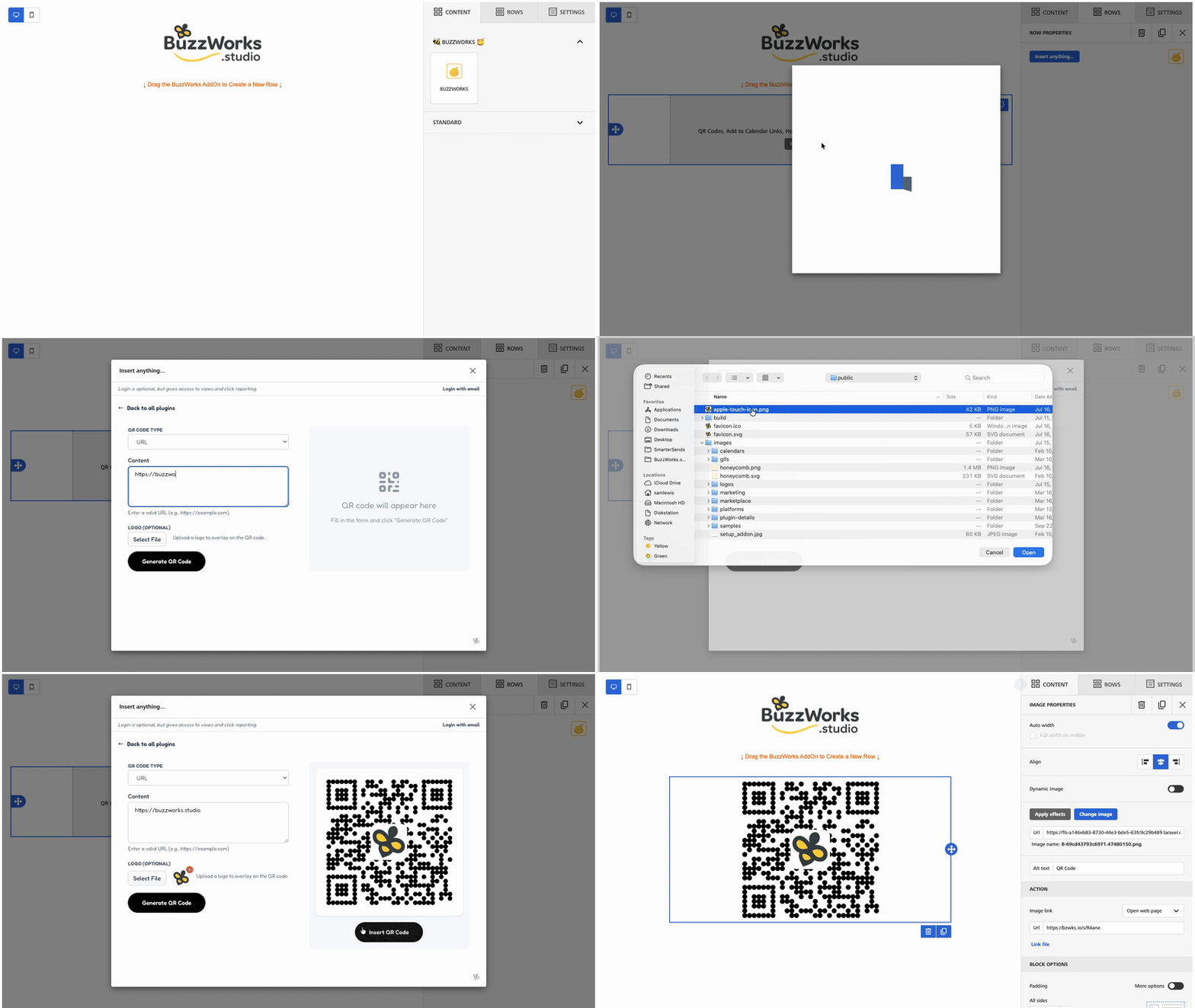
  1. 1 Choose the QR type: URL, plain text, email, SMS, phone, vCard, or WiFi.
  2. 2 Enter the content for that QR type and optionally upload a logo for the center of the code.
  3. 3 Generate the QR image directly in the plugin.
  4. 4 BuzzCode stores the image and inserts it into Beefree as an image module.
  5. 5 For URL, email, SMS, and phone codes, BuzzCode uses a short URL so scans can be tracked.

Use Cases

Event check-in emails

Add a QR code to confirmation or reminder emails so attendees can scan at the door instead of searching for a separate ticket.

Mobile actions from desktop email

Let subscribers scan to open an app link, phone number, SMS prompt, or setup page on the device where they need it.

Contact and WiFi sharing

Create vCard and WiFi QR codes for sales teams, hospitality campaigns, onboarding messages, and event signage follow-ups.

FAQs

What QR code types does BuzzCode support?

BuzzCode supports URL, plain text, email, SMS, phone number, vCard, and WiFi QR codes.

Can I add a logo to the QR code?

Yes. BuzzCode accepts an uploaded image and places it in the center of the QR code.

Are scans tracked?

For URL, email, SMS, and phone QR types, BuzzCode creates a short URL and stores it with the QR record so scan interactions can be measured separately from image views.

What happens when I edit an existing QR block?

BuzzCode can reload the saved QR record from the Beefree payload, update the stored content, and keep the existing short URL where possible.

Included BuzzWorks Plugins