
A BuzzWorks Plugin

HoneyTicker

Keep your audience informed with up-to-date stock prices

Add stock price updates to your email campaigns with data from the NASDAQ and NYSE.

v1.0.0
HoneyTicker logo

HoneyTicker

Get that market buzz on your favorite stock symbol or symbols!

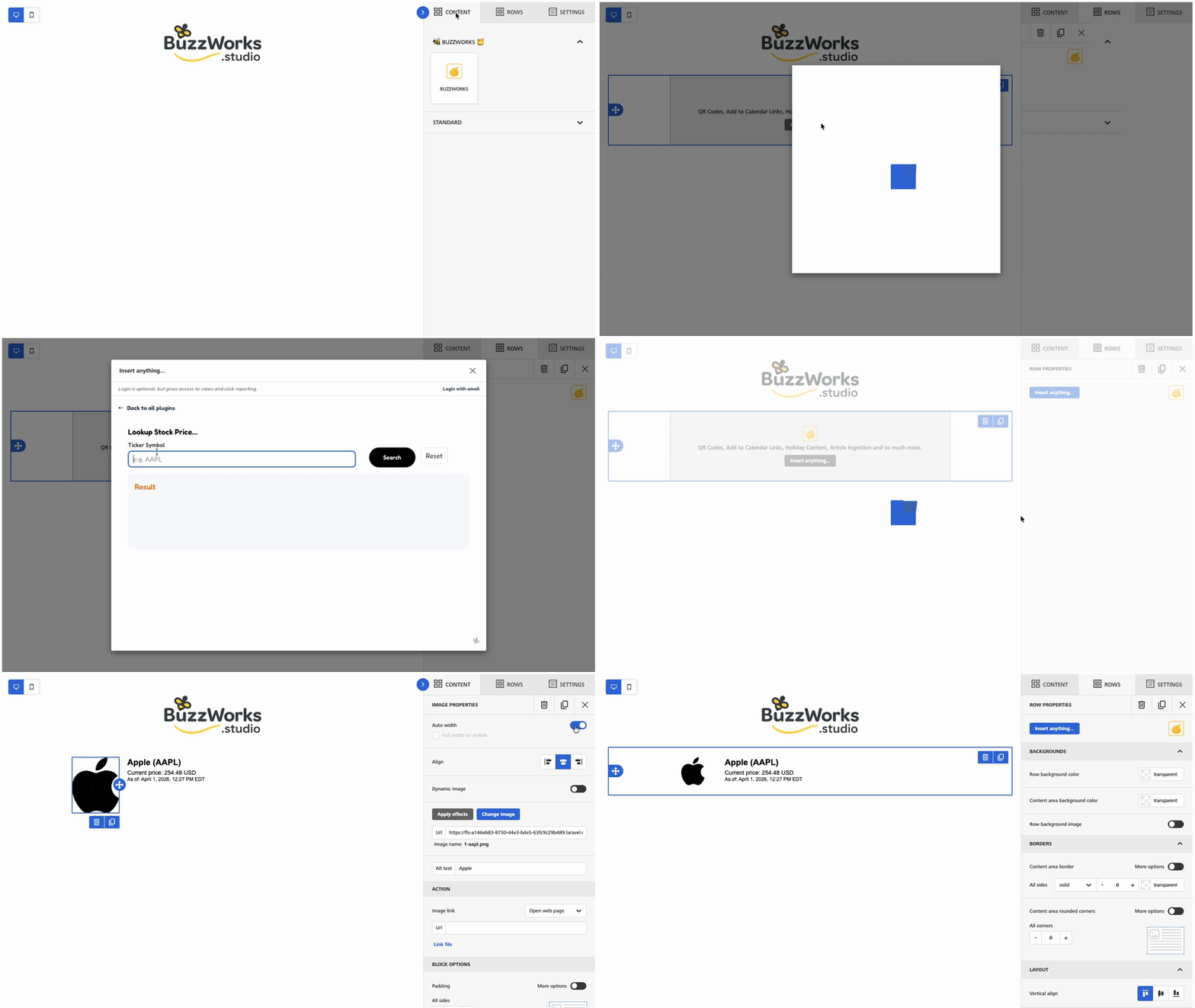
HoneyTicker screencast

Problem solved

What problem it solves

Adding market data to email campaigns typically requires a custom feed, a maintenance plan, and a dev ticket. HoneyTicker gives Beefree™ SDK teams a drop-in block that pulls stock prices without any of that overhead.
Credits

How credits work

HoneyTicker uses 1 credit per view, so you only spend credits when your audience actively views the ticker.

Example Usage and Configuration

Editor block placement

HoneyTicker workspace

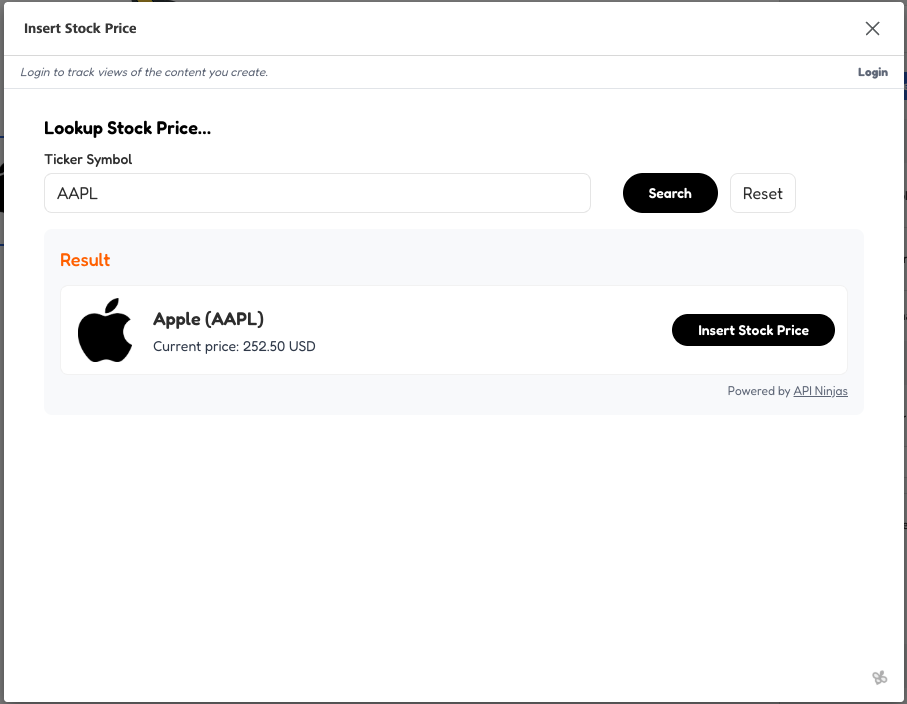
Configuration options

HoneyTicker editor

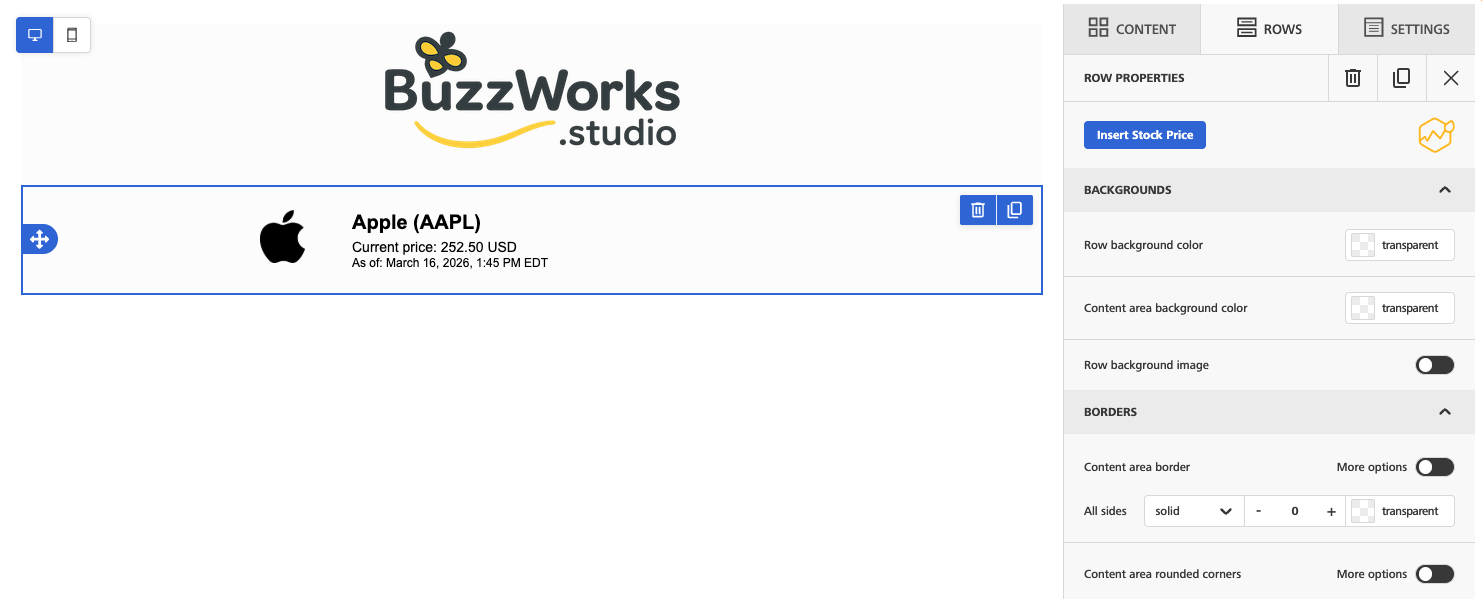
Sample email preview

HoneyTicker email

Who's it For

HoneyTicker is built for

HoneyTicker is for teams that reference public market data in email: investor relations, financial education, fintech onboarding, market commentary, and newsletters where a stock snapshot gives readers useful context.

How it works

From editor to email block

  1. 1 Enter a stock ticker symbol in the plugin.
  2. 2 HoneyTicker fetches price data.
  3. 3 The plugin also attempts to fetch the matching company logo.
  4. 4 The result is stored for the team and inserted as a Beefree content block.
  5. 5 The saved block can be reloaded later from its stock price record.

Use Cases

Market commentary

Add a point-in-time ticker snapshot next to analysis so the email has concrete context.

Investor updates

Reference company or index movement in scheduled investor communications without hand-building a ticker graphic.

Financial education

Use real ticker examples in learning campaigns to make abstract concepts easier to understand.

FAQs

Is the price live when the recipient opens the email?

HoneyTicker stores the fetched result when the block is created, so the email shows the saved snapshot rather than a live updating market feed along with the date and time of the snapshot.

Included BuzzWorks Plugins